
Ozwin casino app in Australia: Android and iOS browser access
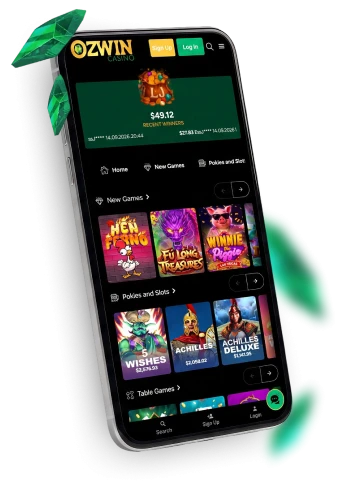
Ozwin casino app access happens in your browser: our instant-play casino works on Android and iOS phones and tablets, with no native casino app to install. Open the site on your device to browse and play. If you want to try a game without wagering, the route differs by device: desktop demos work while you are logged out, whereas mobile demo play requires an account and Practice Mode.
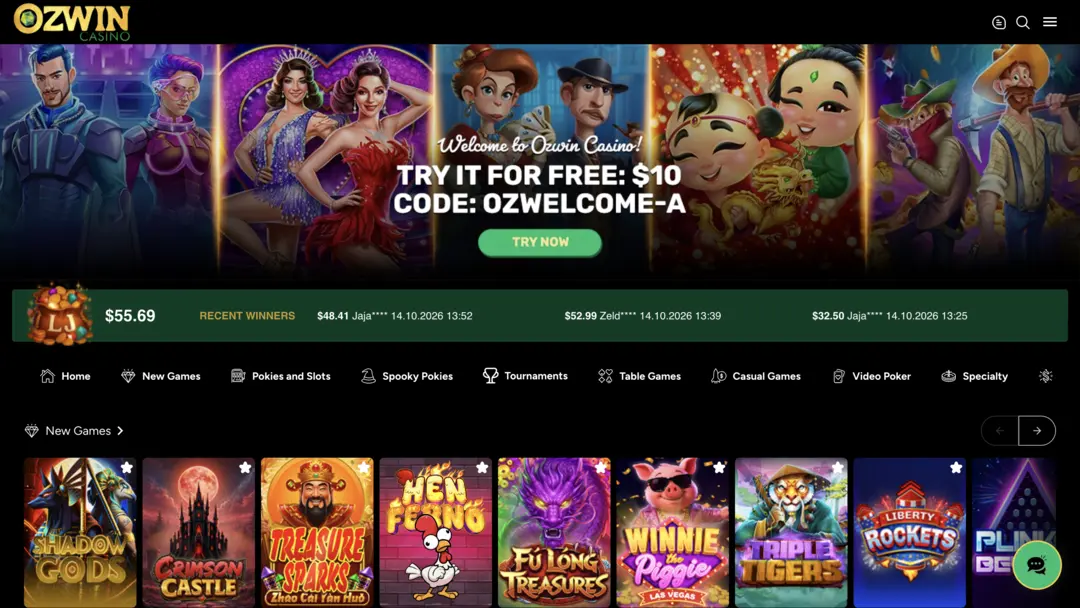
Ozwin casino app download and mobile browser access
An Ozwin casino app download is unnecessary for instant play. Open our site in a browser on your Android or iOS phone or tablet; desktop instant play is browser-based too.
| Device | Access format | Useful distinction |
|---|---|---|
| Android phone | Instant play in a mobile browser | Open the casino site on your phone. |
| iPhone | Instant play in a mobile browser | Use the browser on your iOS device. |
| Android or iOS tablet | Instant play in a tablet browser | The browser route also works on a larger screen. |
| Desktop computer | Instant play in a browser | Browser choice is flexible; Google Chrome is recommended for the desktop experience. |
For Ozwin app access on a phone, start at our website; Ozwin mobile app access on a tablet follows the same browser route. The Chrome recommendation applies to desktop play. Our Ozwin casino overview covers the wider casino experience, including games and offers.
Ozwin casino download and Practice Mode
An Ozwin casino download is not needed to try demo play. The account step depends on whether you are using a desktop or a mobile device.
| Device | Demo route | Account requirement |
|---|---|---|
| Desktop | Demo play while logged out | You do not need to be logged in for desktop demo play. |
| Mobile | Use an existing account, or register if needed, then choose Practice Mode | An account is required for mobile demo play. |
Where a title offers Practice Mode, you can get familiar with its controls without wagering. Check the game itself for demo availability. The account requirement applies to mobile demo play, not simply opening the casino in a phone browser. If you already have an account, use Ozwin login before choosing Practice Mode on mobile.
Account tasks in the mobile browser
Our mobile browser experience also supports account tasks. Once you have signed in or signed up, tap Deposit at the top, choose a method and follow the steps shown. For withdrawals, open the menu at the top right and select Withdrawal. The methods, limits and verification requirements shown in your cashier depend on your account and the available payment route.
For a coupon, log in and open Coupons in the mobile footer menu, then select a coupon or enter a code. A free-bonus coupon is redeemed to your account; a deposit-bonus coupon invites you to deposit. Redeem the coupon before the qualifying deposit, and check that it was issued to your eligible account. Only one coupon can be active at a time; signing in does not itself make an offer available.
Practical mobile browser checks
Our Ozwin casino app tips and tricks for a stalled page are straightforward browser checks:
- Check that your phone or tablet has a working internet connection.
- Refresh the casino page if it stops responding.
- If the issue continues, reopen the site in a current browser and try again.
Pause before refreshing during active play, as a refresh may interrupt the page you were using. If the site loads but you cannot sign in, focus on account access rather than repeating the browser checks.
FAQ
Does Ozwin offer a native app for Android or iOS?
No. The FAQ describes browser access on Android and iOS and says there is no native casino app.
Can mobile Practice Mode be used from a logged-out browser?
The FAQ distinguishes mobile from desktop: desktop demo play can be available while logged out, while mobile Practice Mode requires an account and is available only where offered.